
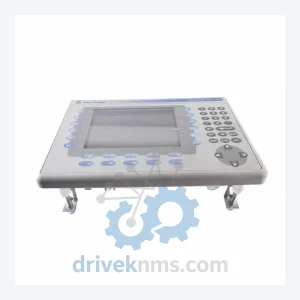
Allen-Bradley PanelView Plus 6 Modules – 2711P-RDK7C
Allen-Bradley 2711P-RDK7C is listed for PanelView Plus 6 RFQ review. Confirm quantity, condition and destination before quotation.
RFQ-ready industrial model
Model: 2711P-T6C5D
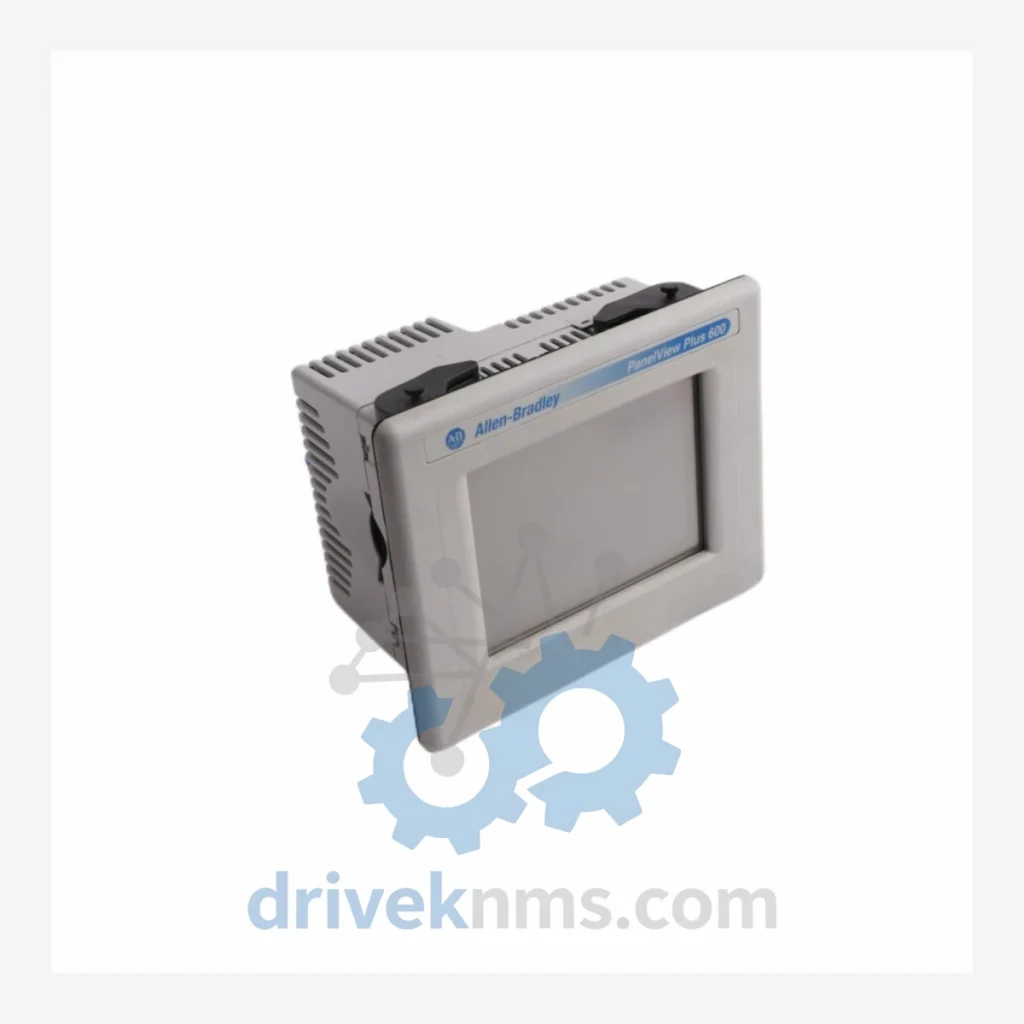
Product Overview
Commercial availability is handled through direct RFQ, model verification and export-oriented follow-up rather than public cart checkout.
Datasheet Preview
Use attached product manuals when available. If the manual is not public yet, request the full file directly through RFQ.
Commercial Path
Product pages on DRIVEKNMS are designed to verify model, brand and series first, then move the buyer into one clean quotation path.
Technical Dossier
RFQ support for obsolete parts: Send the model number, required quantity and destination so DriveKNMS can confirm sourcing options before quotation.
| Part Number | 2711P-T6C5D |
| Manufacturer | Allen-Bradley / Rockwell Automation |
| Series | PanelView Plus 6 |
| Display Size | 6.5 inch color TFT LCD |
| Display Resolution | 640 × 480 (VGA) |
| Touchscreen | Analog resistive touch |
| Communication Ports | DH-485, RS-232, USB (Type A & B), Ethernet 10/100 Base-T |
| Power Supply Input | 24V DC |
| Operating Temperature | 0°C to 55°C |
| IP Rating | IP65 (front panel) |
| Product Lifecycle Status | Discontinued – End of Life (EOL) by Rockwell Automation |
| Compatible Software | FactoryTalk View ME |
| Country of Origin | United States |
The PanelView Plus 6 series was deployed extensively across discrete manufacturing, food & beverage processing, water treatment, and oil & gas facilities throughout the 2000s and 2010s. The 2711P-T6C5D specifically was a standard HMI node in systems built around Allen-Bradley ControlLogix, CompactLogix, and MicroLogix PLCs. These control architectures remain operational in thousands of facilities globally. Rockwell Automation's decision to discontinue the PanelView Plus 6 line does not retire the installed base — it simply removes the manufacturer as a supply source.
The practical consequence is that every facility still running this terminal is now dependent on the secondary market for replacement units. There is no firmware-compatible substitute that installs without application rework. A replacement terminal from the PanelView Plus 7 series requires FactoryTalk View ME application conversion, hardware mounting modifications in many panel configurations, and re-testing of all screen logic and alarm displays. For a complex system with hundreds of configured screens, this engineering effort routinely exceeds $100,000 before a single production hour is recovered.
Maintaining a verified spare of the 2711P-T6C5D is not a workaround — it is the lowest-cost, lowest-risk strategy for protecting an asset that still has years of productive service life remaining.
The decision to replace a functioning control system is rarely driven by technical necessity. It is driven by parts availability. When a critical HMI or I/O module becomes unobtainable, the entire system becomes a liability regardless of its mechanical condition. The following approach has been used by maintenance teams across heavy industry to defer capital replacement projects by five to ten years without compromising reliability:
1. Identify single points of failure. Map every component in your control architecture that has no available new-manufacture replacement. The 2711P-T6C5D is one such component. Prioritize these for strategic stocking.
3. Source from verified channels only. The secondary market for discontinued Rockwell Automation hardware contains counterfeit and misrepresented units. Procurement from suppliers who perform incoming inspection and provide documented condition reports is not optional — it is a risk control measure.
4. Document firmware versions. FactoryTalk View ME application files are version-sensitive. Before storing a spare unit, confirm the firmware version matches your production terminal. A firmware mismatch discovered during an emergency replacement adds hours to an already costly shutdown.
DriveKNMS applies a structured 5-step inspection protocol to all discontinued HMI units before they are offered for sale. This process is designed to identify the failure modes most commonly associated with aged industrial electronics:
Step 1 – Electrolytic Capacitor Assessment: Capacitor degradation is the primary cause of age-related failure in industrial HMI hardware. Each unit is inspected for capacitor bulging, electrolyte leakage, and ESR deviation from specification.
Step 2 – Firmware Version Verification: The installed firmware version is documented and confirmed against Rockwell Automation's published version history. Units with corrupted or non-standard firmware are quarantined.
Step 3 – Connector and Pin Inspection: All I/O connectors, communication ports, and power terminals are inspected under magnification for corrosion, pin deformation, and contamination. Affected contacts are cleaned or the unit is rejected.
Step 4 – Display and Touchscreen Functional Test: The LCD panel is powered and evaluated for dead pixels, backlight uniformity, and touch calibration accuracy across the full active area.
Step 5 – Communication Port Verification: Ethernet, RS-232, and USB ports are tested for signal integrity and correct enumeration. DH-485 port continuity is confirmed.
The 2711P-T6C5D installs as a direct physical and electrical replacement for any existing unit of the same part number. There is no requirement to modify the FactoryTalk View ME application, reconfigure communication parameters, or perform any PLC-side programming changes. The replacement procedure is limited to physical installation and power-on verification — a task within the capability of a qualified maintenance technician without specialist engineering support.
Q: How do I confirm the unit is genuine and not counterfeit?
A: Each unit is inspected against Rockwell Automation's published hardware identification criteria, including label format, serial number structure, and internal construction. Inspection documentation is available on request.
Q: Do you provide documentation with the unit?
A: Condition inspection reports and firmware version documentation are provided with each unit. Original Rockwell Automation product documentation is available through Rockwell's public literature library.
Continue The Model Path
Move from this exact model into the matching system hub, brand archive, model-family archive or lifecycle sourcing route before sending a final RFQ list.
Related Paths
Allen-Bradley 2711P-RDK7C is listed for PanelView Plus 6 RFQ review. Confirm quantity, condition and destination before quotation.
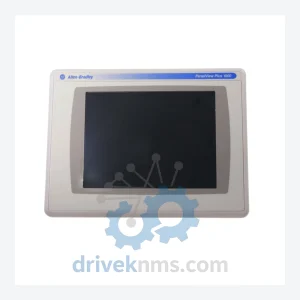
Allen-Bradley 2711P-T10C4D1 is listed for PanelView Plus 6 RFQ review. Confirm quantity, condition and destination before quotation.
Allen-Bradley 2711P-T10C1D6 is listed for PanelView Plus 6 RFQ review. Confirm quantity, condition and destination before quotation.