
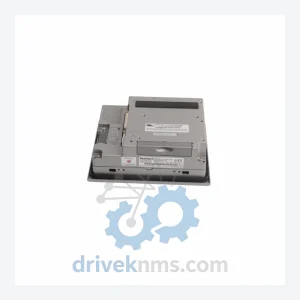
PROFACE GP2300-TC41-24V HMI Touch Panel – GP2000 Series
Pro-face GP2300-TC41-24V is listed for GP2000 Series RFQ review. Confirm quantity, condition and destination before quotation.
RFQ-ready industrial model
Model: PFXPB1B1CD20N00N00 PFXPB1B1CD24D00N00
Product Overview
Commercial availability is handled through direct RFQ, model verification and export-oriented follow-up rather than public cart checkout.
Datasheet Preview
Use attached product manuals when available. If the manual is not public yet, request the full file directly through RFQ.
Commercial Path
Product pages on DRIVEKNMS are designed to verify model, brand and series first, then move the buyer into one clean quotation path.
Technical Dossier
RFQ support for obsolete parts: Send the model number, required quantity and destination so DriveKNMS can confirm sourcing options before quotation.
Note: Electrical parameters not confirmed independently. Specifications above are based on known series data. Buyers are advised to cross-reference against their existing system documentation before installation.
The Pro-face SP5000 series was widely deployed across process manufacturing, automotive assembly, and utilities infrastructure throughout the 2000s and 2010s. These HMI control units served as the operator interface layer for critical production cells — managing alarm displays, process visualization, and operator input for underlying PLCs and DCS systems.
With the SP5000 series now discontinued, OEM support has ended. When the PFXPB1B1CD20N00N00 or PFXPB1B1CD24D00N00 control unit fails, plant managers face a binary choice: source a verified replacement unit, or commit to a full HMI platform migration. The migration path is rarely straightforward. Legacy communication drivers, proprietary screen project files, and deeply embedded operator workflows mean that ripping out an SP5000 installation carries engineering risk far beyond the hardware cost.
The PFXPB1B1CD20N00N00 and PFXPB1B1CD24D00N00 variants differ in their display configuration. Facilities should confirm which variant is installed before procurement to ensure direct compatibility.
Discontinued hardware sourced from secondary markets carries inherent risk. DriveKNMS applies a structured 5-step inspection protocol to all SP5000 series units before dispatch review:
Q: How do I confirm the unit is genuine and not counterfeit?
A: All units are supplied with photographic documentation of the physical unit, serial number, and label prior to shipment. Buyers may request pre-shipment inspection reports. DriveKNMS does not source from unverified brokers.
Continue The Model Path
Move from this exact model into the matching system hub, brand archive, model-family archive or lifecycle sourcing route before sending a final RFQ list.
Related Paths
Pro-face GP2300-TC41-24V is listed for GP2000 Series RFQ review. Confirm quantity, condition and destination before quotation.
Pro-face PFXGP4501TAD is listed for HMI Panels RFQ review. Confirm quantity, condition and destination before quotation.
Pro-face GP570-TC11 is listed for GP570 Series RFQ review. Confirm quantity, condition and destination before quotation.