Deciphering CISA Advisory ICSA-26-155-04: The Technical Reality of RTU500 Vulnerabilities
On June 4, 2026, CISA released ICS Advisory ICSA-26-155-04, detailing critical vulnerabilities in Hitachi Energy (formerly ABB) RTU500 Remote Terminal Units (RTUs). For power grid, water utility, and railway engineers, this is an urgent call to audit the telemetry networks bridging local physical sites with SCADA systems.
The core vulnerability exists in Central Monitoring Unit (CMU) firmware versions 12.7.1 through 12.7.7. Flaws in the integrated web server and Modbus TCP stack allow remote attackers to trigger a Denial of Service (DoS), crashing or rebooting the CMU. In a substation, an RTU freeze causes immediate telemetry blindness. Dispatchers lose real-time visibility of high-voltage breakers and currents. If a fault occurs during this window, protection schemes may isolate it locally, but wide-area grid balancing becomes impossible, risking cascading blackouts.
As a 20-year veteran of DCS/PLC/SIS lifecycle management, I know how these patching mandates disrupt operations. In theory, the remedy is simple: flash the CMU with firmware 12.7.8 or newer. In practice, flashing active substation controllers is a high-risk operation. This article analyzes the mechanical realities of these vulnerabilities, the operational bottlenecks of firmware migration, and why maintaining a robust physical hardware buffer is the ultimate insurance policy for legacy installations.
The Firmware Update Bottleneck: Risk of the “Brick”
In substation automation, RTUs are expected to run uninterrupted for decades. Flashing new firmware onto an active RTU rack introduces distinct engineering challenges:
- Database Drift: Legacy software (like RTUtil500) configurations may not map cleanly to the memory footprint of firmware 12.7.8+, causing database drift that breaks communication with I/O boards or corrupts SCADA protocol maps (IEC 60870-5-104 or DNP3).
- Resource Exhaustion: Security patches introduce higher CPU and memory overhead. Older CMU modules running on legacy processors may experience resource exhaustion or thermal stress, causing reboots under heavy traffic.
- Physical Board Vulnerability: Power anomalies or network timeouts during flashing can easily brick the module. If a CMU gateway fails during update, the substation is completely isolated until replacement hardware is sourced and configured.
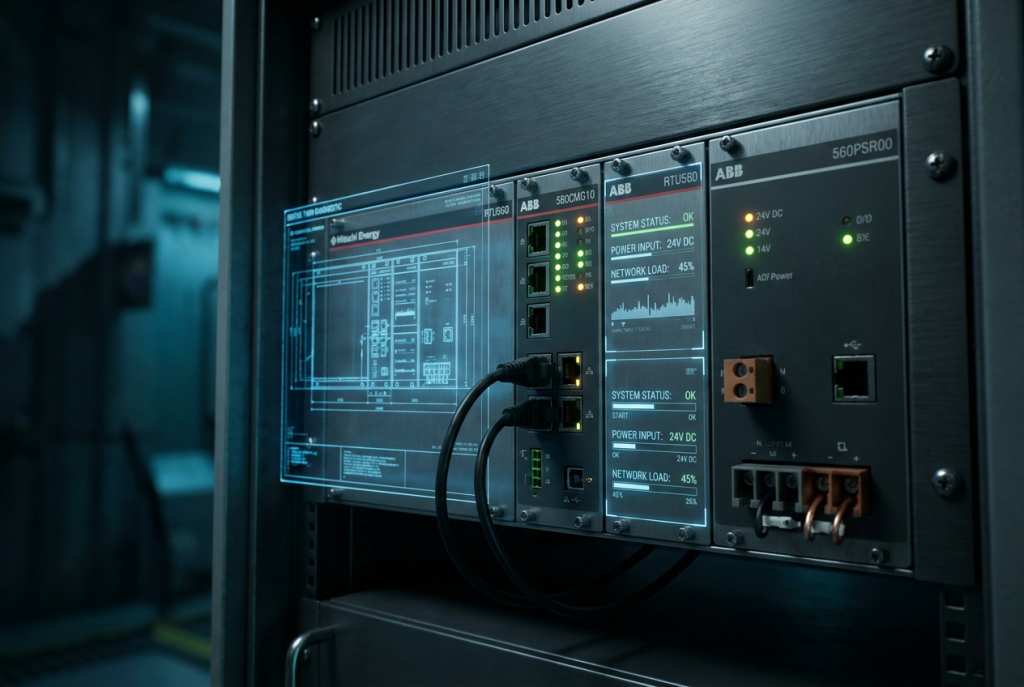
Experienced OT engineers never patch a live rack without validating firmware off-line. Sourcing a spare ABB 560CMG10 gateway module allows teams to load exact configurations, apply the patch, and stress-test communication without risking live substation uptime.
Building a Resilient Hardware Buffer for Legacy Racks
The RTU500 series (including legacy ABB RTU560 racks) remains ubiquitous in utility grids. Sourcing reliable replacement boards has grown difficult as OEMs focus on newer product lines. Yet physical hardware is exactly what fails when controllers are subjected to high network load or environmental stress during an audit.
Under a network attack, the CMU processor operates at 100% capacity. This prolonged draw pushes aging power supply capacitors to their breaking point. Keeping an audited ABB 560PSR00 power supply unit on hand ensures thermal failures do not turn update windows into emergency procurement crises.
Interface boards are also susceptible to transients during maintenance. The ABB 23BA22a command output module executes critical trip commands to switchgear. If an electrical surge occurs while connecting diagnostic laptops, or if a legacy card fails to initialize on reboot, having a tested replacement on hand is the difference between a minor delay and an outage.
For procurement managers, relying on standard OEM lead times during a CISA-driven security audit is a dangerous gamble. Lead times for legacy industrial communication modules can extend to 16 to 24 weeks. By proactively auditing your inventory and sourcing certified spares from our comprehensive ABB industrial and substation automation components catalog, you secure the physical hardware sovereignty required to weather both cybersecurity threats and supply chain constraints.
Defending RTU500 Systems Without Breaking the Process
If your plant is currently unable to schedule a maintenance window to apply the firmware 12.7.8 patch, there are several immediate network-level mitigations you can implement to reduce the attack surface and protect your active RTU560 installations:
- Isolate and Disable the Integrated Web Server: Disable the integrated web server on all active RTU500 CMUs. If web diagnostics are required for troubleshooting, restrict web access (ports 80 and 443) to a local, air-gapped engineering workstation using a physical crossover cable.
- Implement Modbus TCP Access Control Lists (ACLs): Restrict Modbus TCP traffic (port 502) strictly to the IP addresses of your master SCADA servers and authorized HMIs. Block all broadcast and multicast traffic on the telemetry subnet.
- Establish a Testing and Staging Protocol: Never deploy a firmware update directly to a production RTU. Set up a physical test bench using a spare rack, a spare gateway, and a backup power supply. Load a copy of the production configuration database, apply the patch, and verify communication stability across all active serial and Ethernet ports for a minimum of 24 hours before scheduled field deployment.
Frequently Asked Questions on RTU500 Security and Lifecycle
Q1: Can we isolate our RTU560 rack instead of upgrading the firmware?
Yes. If your RTU560 is completely isolated on a dedicated, air-gapped network with no routing paths to the corporate network, the risk of external exploitation is near zero. However, internal threats—such as a compromised engineering laptop connected directly to the rack during maintenance—still exist. Ensure that all local maintenance access is strictly controlled, and that no unauthorized USB devices or laptops are connected to the network ports.
Q2: Will the new Hitachi Energy firmware work on our older ABB-branded RTU560 modules?
Generally, yes, but with caveats. While Hitachi Energy maintains backward compatibility, older CMU modules may have limited flash memory and RAM. Before installing firmware version 12.7.8, verify that your specific module hardware revision has the processing capacity to run the newer software stack. Running modern firmware on underpowered legacy boards can cause CPU overhead, network latency, and random reboots.
Q3: What are the primary warning signs that an RTU560 power supply is failing during a network event?
The most common indicator is unexpected module reboots during high network traffic or broadcast storms. When the processor load spikes, the power draw increases. If the electrolytic capacitors in an aging power supply unit have degraded, they will fail to maintain voltage stability under this increased load, causing the CMU to reboot. Other warning signs include flickering status LEDs on the power module, audible high-frequency whining from the cabinet, and communication timeouts on downstream I/O cards.
Q4: How do we safely manage the lifecycle of our substation RTUs as they approach OEM obsolescence?
The most effective strategy is a structured hybrid approach. Keep your robust, field-tested RTU560 racks in service, but aggressively build a physical warehouse buffer of critical spare modules—focusing on high-failure-rate components like power supplies, central gateways, and command output modules. This physical buffer provides a 10-to-15-year operational runway, allowing you to schedule capital upgrades on your own timeline rather than being forced into a costly migration by supply chain scarcity.
Need to secure your substation telemetry and build a certified spare buffer? Whether you are setting up an offline firmware testing rack or securing your physical inventory against unexpected hardware failures, DriveKNMS provides audited, fully tested legacy components to keep your critical infrastructure online. Contact our engineering team today for instant quotes on certified spares.
© 2026 DriveKNMS. All rights reserved. Official Website: https://driveknms.com Inquiry: [email protected] | WhatsApp/Tel: +86 18359293191