CISA’s June 25, 2026 advisory for Delta Electronics DTM Soft is a useful reminder that engineering software belongs inside the spare-parts conversation. The advisory describes a deserialization of untrusted data issue that may allow arbitrary code execution. Delta is working on a fix and recommends workarounds such as avoiding unsolicited project files and untrusted links. For maintenance teams, the practical concern is wider than one software package: engineering workstations, project files, and programming cables are part of the recovery chain.
Plants usually track PLC CPUs, I/O modules, drives, and power supplies. They are less consistent with the engineering station that configures those assets. A spare PLC cannot be commissioned quickly if the only laptop with the correct software, license, driver, project file, and communication adapter is missing, infected, obsolete, or locked away with an unknown password. A software advisory should make the plant ask whether the engineering toolchain is recoverable, not just whether the latest patch has been downloaded.
Engineering files are operational assets
A project file can be as important as a controller module. It contains logic, parameters, device configuration, communication settings, and sometimes machine-builder knowledge that is not written anywhere else. When a vulnerability involves opening or importing project files, the plant should review file-handling rules. Which files are trusted? Where are originals stored? Who can import a vendor file? How are files transferred from contractor laptops? Are old project archives scanned before use?
DriveKNMS recommends treating this as a maintenance procedure, not only an IT rule. Controls engineers need a safe path to receive files, verify origin, preserve the working backup, and keep emergency access practical. If the rule is too heavy, people bypass it. If the rule is too loose, the engineering station becomes a soft entry point into the plant.
This is why engineering workstations belong beside PLC and DCS hardware in PLC DCS Control planning. The workstation may not run the process, but it determines how quickly the process can be restored after a controller, drive, or HMI issue.
What to inventory after the advisory
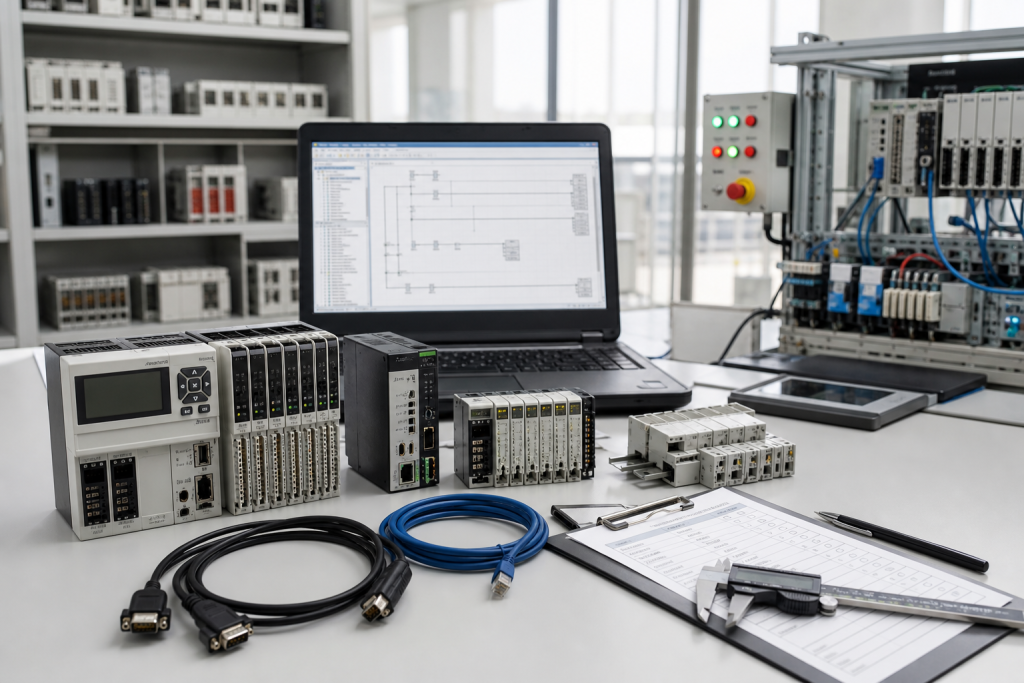
Start with the workstation list. Record the installed engineering software, version, license type, operating system, communication adapters, programming cables, driver packages, and the controllers or drives each workstation supports. Include virtual machines if they are used. If a plant has one old laptop for a legacy line, that laptop should be treated as a critical spare, not a casual tool.
Next, verify project-file backup quality. A backup should include current running files, prior validated versions, change notes, password or access handling, parameter files, drive configuration, HMI links, and restoration instructions. If the backup exists only on an engineer’s desktop, move it into a controlled archive with access logs and a tested retrieval process.
Then check the physical recovery kit. Programming cables, USB adapters, Ethernet adapters, serial converters, license dongles, spare SSDs, laptop power supplies, and docking stations can become outage bottlenecks. A new workstation may be useless if the plant cannot connect to the installed controller.
How to buy and qualify engineering-station spares
Procurement should ask for the intended role before quoting hardware. Is the workstation for daily maintenance, emergency recovery, a clean-room project-file review station, or a legacy line that only needs occasional support? The answer changes CPU, operating system, ports, ruggedness, storage, and software compatibility requirements.
A strong RFQ should include software versions, required ports, controller families, condition requirement, destination, timeline, and whether the plant needs hardware only or a prepared workstation image. If a clean spare SSD is part of the plan, define who will image it and how it will be stored. For security reasons, do not send project files to a supplier unless a formal support agreement allows it.
When the spare arrives, test the basics before storing it. Confirm power, boot, ports, software launch, license recognition, cable connection, and access to a nonproduction test device where available. This simple test turns a box into a usable recovery asset.
One more step is worth adding: define who may use the recovery workstation during an incident. If the spare laptop is clean and controlled, it should not become a casual browsing or email device. Keep it for engineering work, project-file review, and restoration tasks. Record checkout history and return it to a known state after use. This is not bureaucracy; it protects the one tool that may be needed when a controller is down and the line manager is asking for a recovery time.
Plants with several brands should keep a matrix that maps each line to the required engineering tool. Delta, Rockwell, Siemens, Schneider, ABB, and other platforms may each need different software, drivers, and cable sets. The matrix helps procurement buy the right spare workstation and helps maintenance avoid discovering missing tools during a shutdown.
FAQ
Does the Delta DTM Soft advisory only affect Delta users?
The advisory is Delta-specific, but the lesson applies broadly: engineering software, project files, and workstations need controlled recovery procedures.
Should project files be included in the spare-parts plan?
Yes. A hardware spare is incomplete if the plant cannot load the correct project, parameters, firmware, or communication settings.
What should an engineering workstation spare include?
Include compatible hardware, operating system, engineering software, licenses, drivers, programming cables, adapters, backup media, and tested access to the project archive.
How should contractors send project files after this type of advisory?
Use an approved transfer path, confirm file origin, scan before opening, keep a clean backup, and avoid importing unsolicited files on production engineering stations.
If your team is reviewing engineering workstation recovery after the Delta DTM Soft advisory, send DriveKNMS your software versions, controller families, cable requirements, and recovery timeline. We can help identify the practical spares that keep the engineering path usable.
© 2026 DriveKNMS. All rights reserved. Official Website: https://driveknms.com Inquiry: sale@driveknms.com | WhatsApp/Tel: +86 18359293191