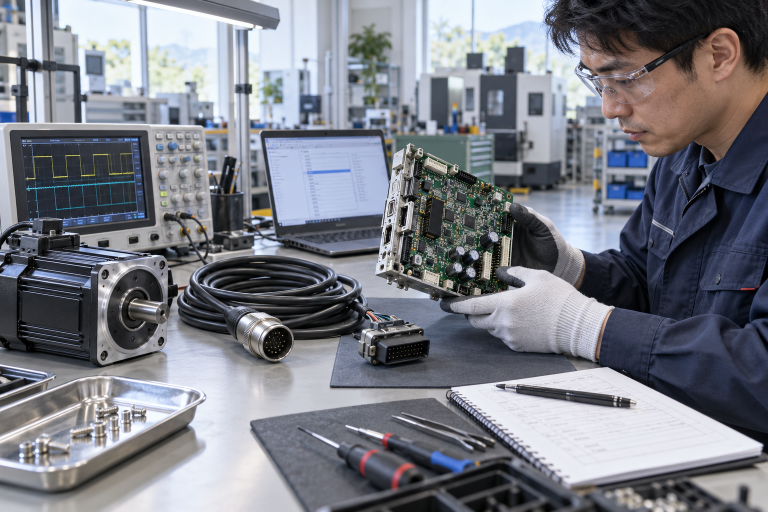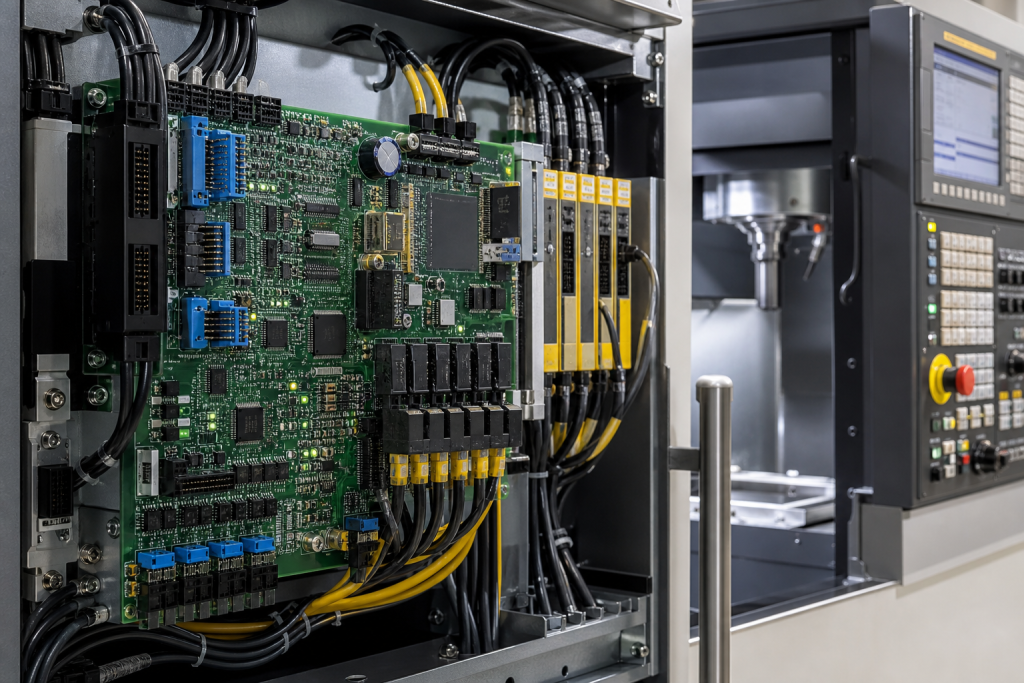
A CNC control board can fail while the machine cabinet, drives, and operator panel still look normal. On an older FANUC cell, board position, software, memory, I/O, axis data, connectors, and machine-builder configuration decide whether a replacement can restore production. The part number is the start of the investigation, not the end.
DriveKNMS readers need a board-level recovery checklist that helps procurement avoid a visually similar but unusable FANUC board. The RFQ should also show what data and commissioning work remain after the hardware arrives.
Record the CNC cabinet context
Capture CNC model, board position, machine builder, axis count, firmware, software or memory backup, I/O, spindle, drives, HMI, connectors, alarms, and machine role.
The live FANUC A20B-0006-0040 reference is a product match for an RFQ. Compare the installed board location, revision, connectors, backup, and machine record before approval.
Photograph board label, rack position, connectors, memory media, drive links, spindle interface, HMI, and cabinet context.
Keep the board and CNC data together
Confirm the latest parameters, PMC or ladder backup, axis data, tool data, software version, memory device, and restore owner. A board with no valid data path may extend the outage.
The related Yaskawa servo motor reference illustrates why motion hardware is a separate dependency and does not prove board compatibility.
For obsolete or refurbished boards, request actual-item photos, revision, bench-test evidence, memory scope, accessories, warranty, and dispatch timing.
Acceptance must prove the CNC cycle
After replacement, verify board recognition, parameter restore, PMC, axes, spindle, HMI, homing, limits, alarms, safety interlocks, and the approved test cycle.
Mark the board exact, data restore pending, bench-tested, substitute, or engineering review required.
Keep board labels, software and backup references, connector evidence, settings, test results, and final cycle acceptance together.
Build the RFQ around the installed function
A useful spare request starts with the installed function, not only a familiar brand name. State what the device does, where it sits, what it connects to, and what failure would stop, trip, blind, or slow the process. Add the exact label, revision, connector view, power information, accessory scope, condition requirement, destination, and required date. This gives procurement and engineering the same starting point.
Separate an exact replacement from a possible substitute, repair exchange, bench item, and migration candidate. These options can all be commercially useful, but they carry different approval burdens. An exact spare may support a short outage window. A substitute may need wiring changes, parameter review, software work, validation, or a production trial before it can be counted as recovery stock.
The live product references in this article are catalog matches, not permission to skip engineering checks. Compare every product page with the installed label and plant record. If a suffix, connector, voltage, protocol, firmware family, or mechanical interface differs, keep the item conditional until the responsible engineer closes that gap.
Receiving inspection should repeat the evidence used for the RFQ. Photograph the received label, packaging, connectors, terminals, mounting features, and included accessories. Record what was checked and what remains unknown. A clean-looking item is not automatically a field-ready spare, and an item that powers up is not automatically accepted by the control, safety, motion, or protection function.
Review the spare before the maintenance window, not only after a failure. Confirm that the item is physically present, packaging and accessories are intact, the backup or test procedure is available, and the responsible engineer is still named. When a substitute is considered, write down the exact gap it is intended to close and the evidence needed to approve it.
The most useful quotation response mirrors the plant record. It should state the exact model, actual condition, test scope, included hardware, lead time, warranty, and any unresolved compatibility question. Avoid a quote that quietly combines an exact part, an exchange repair, and a possible substitute under one heading.
Finally, define the acceptance owner before the part is ordered. Procurement can verify item identity and commercial terms; stores can verify packaging and label; maintenance can verify installation; and the responsible controls, safety, motion, or reliability engineer can approve functional recovery.
A good record shows why the model was selected, which evidence was checked, what remained conditional, and how the installed function was accepted.
A good quotation should also state what the supplier cannot determine from a catalog page. Unknown firmware, missing drawings, unclear terminals, incomplete accessories, and untested condition should remain open items rather than being hidden in a generic compatible statement.
Before the maintenance window, confirm the spare location, packaging, accessory scope, backup media, test equipment, and named decision owner today.
Record the final decision in the asset file with the installed model, product match, evidence reviewed, unresolved risks, test result, and approval date. This gives the next engineer a faster starting point and prevents procurement from repeating an uncertain model search today.
FAQ
What must match on an A20B-0006-0040 spare?
Match CNC role, board position, revision, firmware, connectors, software, memory, I/O, and machine configuration.
Can a similar FANUC board replace it?
Only after board role, revision, software, connectors, data, and engineering approval are checked.
What should the RFQ include?
Send board and cabinet photos, machine model, backup status, condition, test scope, and deadline.
What proves CNC recovery?
Board recognition, data restore, PMC, axes, spindle, HMI, alarms, safety interlocks, and approved cycle.
Send DriveKNMS your FANUC board and cabinet labels, machine model, backup status, connector photos, and deadline. We can help prepare a precise CNC spare request.
© 2026 DriveKNMS. All rights reserved. Official Website: https://driveknms.com Inquiry: sale@driveknms.com | WhatsApp/Tel: +86 18359293191