CISA advisory ICSA-26-181-02 for Frangoteam FUXA SCADA/HMI, released on June 30, 2026, should make plants look closely at lightweight monitoring systems. These systems are often installed for utility skids, packaging cells, pilot lines, remote assets, energy dashboards, or small OEM packages. They may not carry the same governance as a major DCS, but they can still affect visibility, alarms, troubleshooting, and restart confidence.
DriveKNMS readers often inherit these systems after the integrator leaves. A compact HMI server may sit under a desk or inside a panel, collecting data from PLCs and gateways. It works quietly until an advisory, hardware failure, or browser issue forces the plant to ask who owns the backup and what spare hardware can run it. That is the moment to treat lightweight SCADA as a recovery asset.
Small monitoring systems still need a recovery plan
The first check is role mapping. What does the FUXA or similar SCADA/HMI instance display? Does it provide alarms, trends, operator screens, reports, remote viewing, or maintenance-only diagnostics? Which PLCs, gateways, and network segments feed it? If the system is unavailable, can operators still run locally, and for how long?
Keep that map with monitoring systems records. The record should include host hardware, operating system, application version, project backup, data path, gateway list, network ports, user ownership, and restore steps. A small system deserves a small but real recovery sheet.
Check the hardware around the software
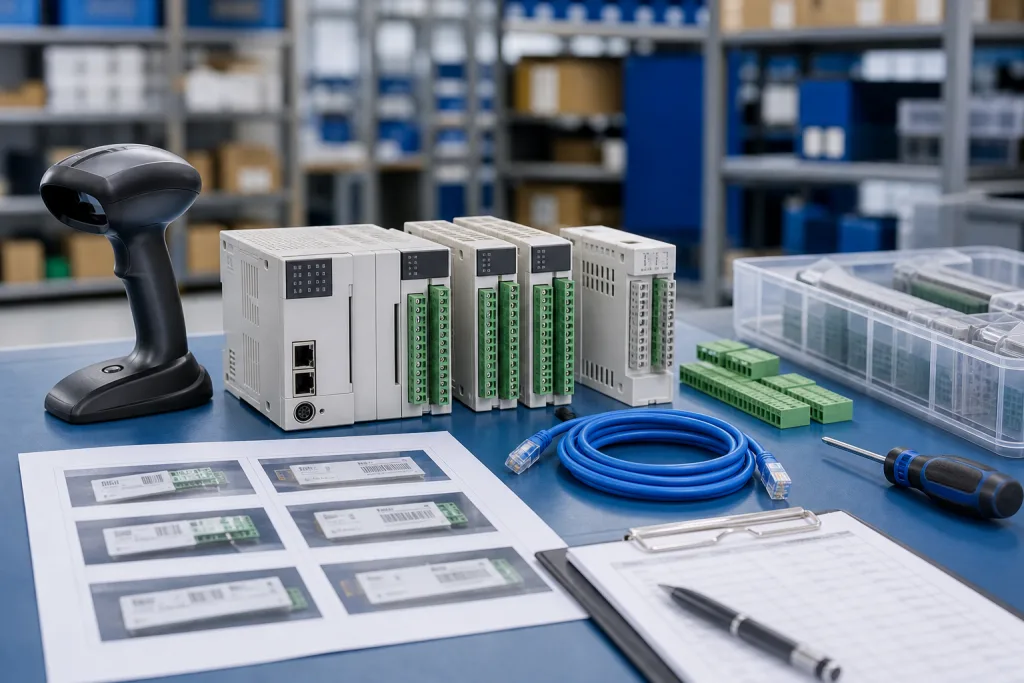
A lightweight SCADA spare may need an industrial PC, panel PC, SSD, power supply, Ethernet switch, serial gateway, USB license or storage device, display cable, and tested backup. If the system runs in a container or virtual machine, confirm where the image lives and whether the host can be restored without internet access. If it runs on a small fanless PC, check storage age and power supply availability.
Do not forget browser and certificate dependencies. Many modern HMI tools depend on browser versions, local certificates, reverse proxies, or service accounts. A spare computer that can boot may still fail to display the HMI if these items are missing. The recovery checklist should include acceptance tests: live tags, alarm display, trend history, user login, and any remote viewer.
Procurement can help by asking for complete kits rather than single boxes. A replacement industrial PC without the DIN mount, power connector, storage image, or required gateway may be slower than a tested used unit with the right accessories. The RFQ should separate emergency recovery, shelf replenishment, and bench test needs.
Do not let small systems stay ownerless
Small monitoring platforms often fall between departments. Operations uses them, controls understands the tags, IT sees the host, and procurement only sees a computer. Assign one owner for backup currency and one owner for hardware availability. If those names are missing, the plant has not finished the recovery plan.
For remote or unmanned sites, decide whether spares live locally or centrally. A cheap industrial PC in the wrong warehouse is not useful during a short maintenance window. Also record whether a field technician can replace the unit or whether a controls engineer must restore the project. Travel time is part of spare planning.
The advisory is the trigger, not the whole story. Whether the site runs FUXA, another lightweight HMI, or an OEM visualization package, the same question applies: can the plant rebuild the monitoring layer quickly enough to support operations?
DriveKNMS recommends a small tabletop exercise for any lightweight monitoring system that supports production decisions. Pick one host, assume it is unavailable, and walk through who retrieves the spare, who restores the project, who confirms data flow, and who accepts the display. The exercise usually finds small blockers: missing admin credentials, unknown backup folder, unavailable gateway cable, or unclear ownership of browser certificates.
Receiving inspection should be just as practical. Power the spare if possible, photograph labels, confirm storage size, check included power connectors, verify network ports, and attach the accepted quote to the spare record. If the item is only a possible substitute, label it as conditional. A substitute should not be pulled in a night-shift outage without engineering review.
For multi-site groups, keep a short library of monitoring hosts and accepted replacements. The goal is not heavy documentation. It is to prevent each site from rediscovering the same industrial PC, HMI panel, or gateway details after every advisory.
One more detail belongs in the record: data retention. Some lightweight HMI systems store short trend histories or alarm logs locally. If the host is replaced, the plant should know whether that history is expendable, exportable, or required for quality and troubleshooting. That decision affects backup frequency and whether storage media should be part of the spare kit.
FAQ
Is a lightweight SCADA/HMI system critical enough for spare planning?
Yes, when it supports alarms, trends, diagnostics, remote operation, or restart decisions. Criticality depends on the role, not the size of the software.
What should be in the spare kit?
Include host hardware, storage, power supply, network switch or gateway, cables, project backup, restore notes, and acceptance checklist.
Can a virtual image replace a spare industrial PC?
Sometimes, but only if host capacity, network mapping, certificates, users, backups, and restore steps have been tested.
What should I send for a quote?
Send host photos, panel context, gateway details, backup status, quantity, condition requirement, destination, and deadline through the DriveKNMS quote path.
If your plant is reviewing a FUXA or lightweight HMI after the latest advisory, send DriveKNMS safe hardware photos and recovery notes. We can help identify the practical spares behind the monitoring screen.
© 2026 DriveKNMS. All rights reserved. Official Website: https://driveknms.com Inquiry: sale@driveknms.com | WhatsApp/Tel: +86 18359293191