The July 2, 2026 CISA advisory for ST Engineering iDirect iQ-Series Terminals is a monitoring-system recovery story. A remote site may have a healthy controller and a clean local HMI, yet the control room can still lose visibility if the satellite terminal, router, power supply, or antenna path fails. For reliability teams, that is not a minor IT inconvenience. It is a recovery gap.
DriveKNMS readers often manage condition monitoring, remote telemetry, SCADA displays, and utility visibility across assets that are not easy to reach. The communication layer decides whether alarms, trends, diagnostics, and maintenance decisions arrive on time. A security advisory should trigger a check of the whole remote communications kit, not just the named terminal.
Map what visibility depends on
Start by listing what the terminal or gateway carries: vibration data, flow totals, power status, alarms, historian feeds, HMI viewing, remote engineering, or operator calls. Then identify who loses information if that path is down and how long the asset can run with local-only visibility.
DriveKNMS recommends storing this with monitoring systems records. Include terminal model, router, switch, antenna, cable, power source, firmware if known, service provider, backup owner, and acceptance checks.
For remote monitoring, acceptance should be specific. A ping test is not enough. Confirm live data, alarm path, trend update, remote viewing, and the operations contact who accepts the restored service.
Stage a practical field recovery kit
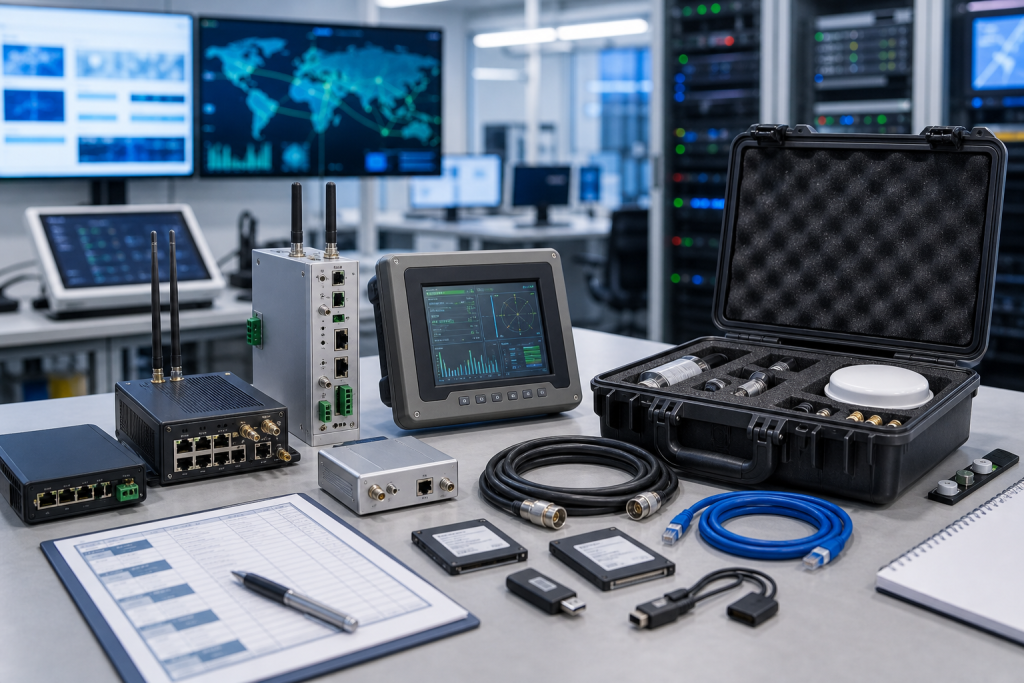
A field kit may need satellite terminal hardware, router, Ethernet switch, coax or antenna leads, power supply, surge device, mounting parts, grounding pieces, USB recovery media, and a printed safe checklist. Small accessories are often the reason a remote job becomes a second trip.
Backup notes are just as important as hardware. The spare may need service activation, a configuration export, VPN rules, certificates, or firewall approval. The RFQ does not need secrets, but the maintenance record needs a named owner for each step.
If the remote asset is unmanned, decide where the kit lives. Central stock may be cheaper, but a local kit may protect the recovery target when travel is hard. The right answer depends on consequence, access, and lead time.
Use the advisory as a recovery drill
Pick one high-value remote site and simulate a communications outage. Who confirms the fault? Who can reach the cabinet? Which spare is pulled? Which configuration is restored? Who verifies that monitoring is back? This exercise usually exposes missing cables, unclear ownership, or untested backups.
Procurement should ask suppliers to separate exact matches from possible substitutes. Similar routers or terminals can differ in service support, firmware, ports, power input, mounting, and provider compatibility.
When the spare arrives, label it by site role. A carton marked only “router” is weak evidence. A carton marked for a specific remote monitoring recovery path is a usable spare.
Procurement and receiving checks
The RFQ should separate immediate replacement, planned stock, and test-bench use. Those needs may point to different condition levels, accessories, and dispatch priorities. Emergency recovery needs exact evidence and realistic shipment timing. Planned stock can allow time for substitute review. Test-bench hardware can sometimes accept a narrower configuration, as long as it is labeled clearly and never confused with an approved production spare.
Ask suppliers for actual photos, accessory scope, condition language, warranty terms, and the expected dispatch path. Device-only quotes should be compared against complete-kit quotes with care. A lower price can become expensive if a missing cable, antenna, power supply, terminal plug, storage device, or mounting part forces a second shipment during a maintenance window.
Receiving inspection should mirror the RFQ. Compare labels, ports, accessory count, visible condition, packaging, and included documents before the item enters stock. If firmware, software, or backup status remains unknown, mark it unknown. Known uncertainty is much safer than quiet assumption, especially when a different buyer or technician may pull the spare months later.
Keep the evidence useful after the order
The work should not stop when the purchase order is placed. Save the original RFQ photos, supplier photos, accepted quote, receiving photos, and engineering notes together. That file becomes the next buyer’s starting point. It also protects the maintenance team when the same device family appears in a later advisory, outage, or migration review.
For critical spares, add a short status label: exact match, possible substitute, repair option, test bench only, or not approved for production. This prevents a conditional item from being pulled as if it were already accepted. It also helps stores staff understand why two similar-looking devices may not be interchangeable.
Finally, review the record after the next maintenance window. If a cable, power item, software file, antenna accessory, or configuration owner became the bottleneck, add that lesson to the standard kit. Spare planning improves when the purchase history and the field repair history are allowed to meet.
Risk grading keeps the process realistic. Not every edge device deserves the same shelf depth. Rank by production consequence, travel time, lead time, substitute confidence, configuration complexity, and who can approve the restore. This gives procurement a defensible reason to prioritize one spare kit over another.
A short quarterly review is enough for many sites. Pull the highest-risk records, confirm the spare still exists, check whether accessories are still boxed with it, and verify that the named technical owner is still current. This small habit catches quiet drift before it turns into downtime.
FAQ
Is remote communications part of monitoring-system spare planning?
Yes. If alarms, trends, diagnostics, or remote visibility depend on it, communication hardware belongs in the recovery plan.
What should a remote monitoring kit include?
Include terminal or gateway hardware, router, switch, antenna leads, power supply, surge protection, mounting parts, backup notes, and acceptance checks.
Can a cellular router substitute for satellite equipment?
Only after engineering checks coverage, service approval, network rules, ports, power, mounting, and monitoring acceptance requirements.
What should I send DriveKNMS for a quote?
Send photos, model labels, site role, accessory list, condition requirement, destination, and deadline through the request a quote channel.
If your remote monitoring path depends on satellite terminals, routers, or specialized gateways, send DriveKNMS the safe device photos and recovery target. We can help identify the practical spares behind the communications link.
© 2026 DriveKNMS. All rights reserved. Official Website: https://driveknms.com Inquiry: sale@driveknms.com | WhatsApp/Tel: +86 18359293191