A historian server can fail quietly for months before anyone treats it as a spare-parts problem. Operators still see live values. Production continues. Then an audit, incident review, power event, or server fault exposes the truth: trend history, alarm context, batch evidence, and maintenance diagnostics were depending on one under-documented machine.
DriveKNMS readers should treat historian recovery as part of monitoring continuity. The server is not only IT hardware. It holds plant memory, engineering evidence, and troubleshooting context. A replacement plan must include storage, power, network, licenses, backups, and acceptance tests.
Define what history the plant cannot lose
Start by listing the historian’s operational role. Does it support compliance records, batch review, energy reporting, alarm analysis, predictive maintenance, or only convenience trending? The answer decides how much spare depth and recovery testing are justified.
Keep the record under monitoring systems, not only under IT assets. The people who feel the outage are operators, maintenance engineers, and reliability staff.
Record host model, storage type, RAID or disk layout, power supplies, network interfaces, operating system, historian version, backup location, restore owner, and license evidence. If any item is unknown, mark it unknown.
Hardware spares need software context
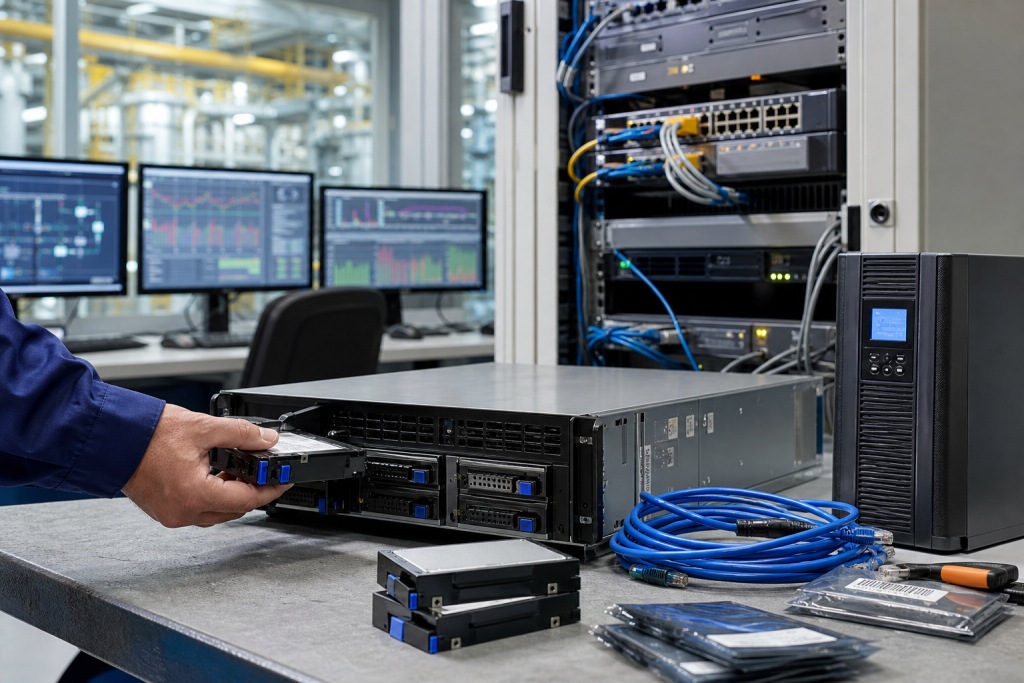
A spare industrial PC or server does not restore history by itself. Recovery depends on database backups, archive paths, service accounts, time synchronization, network naming, historian licenses, and client connection paths.
If the historian shares a host with HMI, reporting, OPC, or engineering tools, document those dependencies separately. Combining services can be practical, but it makes recovery more fragile when nobody owns the full picture.
Use the request a quote channel with safe host photos, storage details, accessory needs, and deadline when sourcing server components or replacement hardware.
Acceptance should prove useful history
A historian recovery test should prove that data is being collected, timestamps are correct, clients can read trends, archive retention is visible, and operators or engineers can retrieve the values they actually use.
Do not accept a server only because it boots. A booted server with broken data paths still leaves the plant blind during root-cause work.
After recovery, save received hardware photos, backup notes, license evidence, and test results together so the next replacement starts from evidence rather than memory.
Procurement checklist
A good RFQ separates immediate replacement, planned shelf stock, repair exchange, test-bench hardware, and possible substitute. Those needs should not be mixed in one vague request. Immediate replacement needs dispatch certainty and accessory completeness. Planned stock can allow more time for condition comparison. Test hardware may be useful without being approved for production. A possible substitute needs engineering review before it is compared with an exact match.
Ask for actual photos, visible labels, port views, accessory scope, condition language, warranty terms, and realistic shipment timing. Compare device-only quotes against field-ready kits carefully. A low price becomes expensive when a missing connector, terminal plug, cable, memory card, license device, power supply, mounting part, or configuration owner forces a second shipment during the maintenance window.
Receiving inspection should mirror the RFQ. Confirm model, revision, ports, power input, accessory count, packaging, visible condition, and included documents before the item enters stores. If firmware, software, backup, or approval status is unknown, mark it unknown. Clear uncertainty is safer than quiet confidence that surprises the next technician.
Keep the record useful
After the order, save the original RFQ photos, supplier photos, final quote, received-item photos, and engineering comments together. That file becomes the next buyer’s starting point. It also helps maintenance when the same platform appears in a later outage, shutdown, modernization review, or support discussion.
Use simple status labels: exact match, possible substitute, repair option, test bench only, rejected, or engineering review required. A conditional spare should not sit on the shelf pretending to be an exact replacement. Stores staff and night-shift technicians need the same clarity as the engineer who approved the quote.
Review the record after the next field repair. If a cable, backup file, license note, terminal plug, network setting, or configuration owner became the bottleneck, add that lesson to the standard kit. Spare planning improves when purchasing evidence and repair evidence are allowed to meet.
One practical habit is to attach a decision owner to every uncertain item. The owner does not need to solve the whole lifecycle problem immediately, but someone should be named for compatibility review, backup validation, substitute approval, or receiving inspection. Anonymous uncertainty is what turns a normal spare request into an emergency meeting.
The same record should also say what not to do. If a module is not approved for production, if a panel is only suitable for bench testing, or if a server image has not been restored, write that plainly. Clear limits protect the plant just as much as available stock.
FAQ
What spares matter for historian recovery?
Common items include storage drives, power supplies, network adapters, industrial PC or server hardware, backup media, and license evidence.
Should historian recovery be owned by IT or maintenance?
Both may be involved, but the recovery requirement should be defined by operations and maintenance because they depend on the data.
How often should backups be tested?
At least before major shutdowns, after server changes, and whenever the historian becomes part of an audit or reliability review.
What should DriveKNMS receive for sourcing?
Send safe server photos, model labels, storage details, power supply needs, network interfaces, backup status, condition preference, and deadline.
Send DriveKNMS your historian recovery gaps and safe hardware photos. We can help turn monitoring continuity risk into a clearer spare and recovery plan.
© 2026 DriveKNMS. All rights reserved. Official Website: https://driveknms.com Inquiry: sale@driveknms.com | WhatsApp/Tel: +86 18359293191