A drive catalog number can look like a compressed version of its current rating, but reading the code as an ordinary number can produce the wrong purchase specification. PowerFlex 525 spares are a good example. The digits help identify a product, yet the manufacturer’s selection table remains the authority for its electrical rating and physical frame.
For maintenance and procurement teams, the practical task is to turn a photograph of an installed drive into an unambiguous spare request. That requires more than matching motor horsepower. This evergreen guide focuses on catalog-code interpretation and the evidence needed to compare offers, rather than changing the application’s settings or selecting a new drive design.
The code is an identifier, not a decimal calculation
Rockwell’s PowerFlex 520-series technical data, publication 520-TD001, separates catalog-number explanation from the product-selection tables. In the 380-480 V three-phase range, the D6P0 selection is listed at 6.0 A, while D010 is listed at 10.5 A. The latter is not a 10.0 A specification simply because its code contains 010.
When requesting the 25B-D6P0N114 PowerFlex 525 drive, copy every character from the installed label. Preserve the suffix as carefully as the current code. A buyer should not shorten the reference to “525 six amp” and expect the receiving team to reconstruct the remaining options.
Use a structured inquiry with separate fields for full catalog number, input supply, output rating, frame and offered condition. Keeping these fields separate makes discrepancies visible. If the supplier’s description conflicts with the label or the manufacturer’s table, resolve the conflict before shipment rather than selecting whichever number seems more convenient.
Compare the complete offered unit
The 25B-D010N104 drive reference illustrates why a nearby catalog code is not automatically a drop-in alternative. Even when two units belong to the same product family, the current rating and frame can differ. The site must evaluate the complete reference, mounting arrangement, connections and approved application requirements.
Request a clear photograph of the actual offered label and a written description of what is supplied. Is the offer for a complete drive, a power module, a control module or a repaired assembly? A photograph of a front keypad cannot answer all of those questions. Accessories and mounting hardware should be named, not assumed to accompany every shipment.
For a repaired unit, ask what was repaired and what test evidence is available. For unused surplus, ask about identification and storage condition. Neither phrase alone establishes application suitability. Keep commercial condition separate from the engineering acceptance decision so the buyer can compare quotations without unintentionally accepting a technical substitution.
Normal and heavy duty are not two universal labels
The Rockwell tables show normal-duty and heavy-duty selections, but different values do not apply uniformly to every size. Some rows have the same horsepower and kilowatt entries in both columns; larger selections can differ. Read the exact row and its notes rather than applying a family-wide rule to a small drive.
For purchasing purposes, record the duty basis used by the approved design. The machine’s load profile, acceleration requirements and operating cycle belong in the engineering review. A higher marketing horsepower does not by itself prove that a candidate will meet the existing load’s demands. Nor should a short-duration overload capability be treated as a continuous operating rating.
A simple comparison sheet can prevent these mistakes. Place the installed reference in the first column, the offered reference in the second and documentary evidence in the third. Use a fourth column for unresolved items. Do not turn a blank cell into “same” merely because both quotations mention PowerFlex 525.
Separate a like-for-like spare from a redesign
A like-for-like request aims to preserve an already approved arrangement, subject to verification of revision and condition. A redesign changes something material: capacity, mounting, protection, interface or operating duty. Both can be legitimate projects, but they require different approval paths and different outage preparation.
When an exact reference cannot be supplied, ask engineering to define the permitted alternative before purchasing commits. Document any required enclosure work, cable changes, configuration work and validation. Those tasks influence downtime and cost, even if the alternative drive itself is inexpensive. Avoid treating a physical installation problem as something the maintenance shift can improvise later.
The same discipline applies to configuration files. Retain the approved backup and its relationship to the installed machine. Do not assume that a family name makes every parameter file appropriate for every offered unit. Configuration transfer and commissioning must follow the applicable manuals and the site’s change-control procedure.
Make the receiving check useful to maintenance
At receipt, reconcile the actual label with the purchase specification, not only the supplier’s packing list. Check the promised supply scope and retain traceable photographs. Quarantine unresolved identification or damage issues under the site’s process. A spare that has arrived is not necessarily a spare ready for an outage.
Record where the accepted unit is stored and which machine or approved reference it supports. Attach the comparison sheet to the stock record so the next buyer does not repeat the interpretation exercise. Where a reference serves multiple machines, list the approved uses explicitly rather than relying on memory.
DriveKNMS can review a sourcing inquiry built around the full catalog number, label photographs, required condition and supply scope. Send those details together with any engineering-approved alternative. Current availability and the condition of a specific offer should be confirmed directly; this guide makes no stock or delivery commitment.
Frequently asked questions
Does D010 mean a 10.0 A output rating?
No. In the cited selection table, the corresponding 380-480 V selection is 10.5 A. Use the exact manufacturer row rather than converting the catalog code into a decimal rating.
Can I choose a spare using motor horsepower alone?
No. Supply, current, duty, frame, interfaces and the approved application requirements also matter. Horsepower is one comparison field, not a complete acceptance specification.
Does a larger current rating guarantee interchangeability?
No. A different unit can require physical or engineering changes. Have the responsible engineer assess the complete reference before accepting it as an alternative.
What is the most useful first attachment to an inquiry?
A readable installed-drive label photograph, accompanied by the full typed catalog number and required supply scope. Add the approved alternative list when one exists, rather than asking purchasing to invent it.
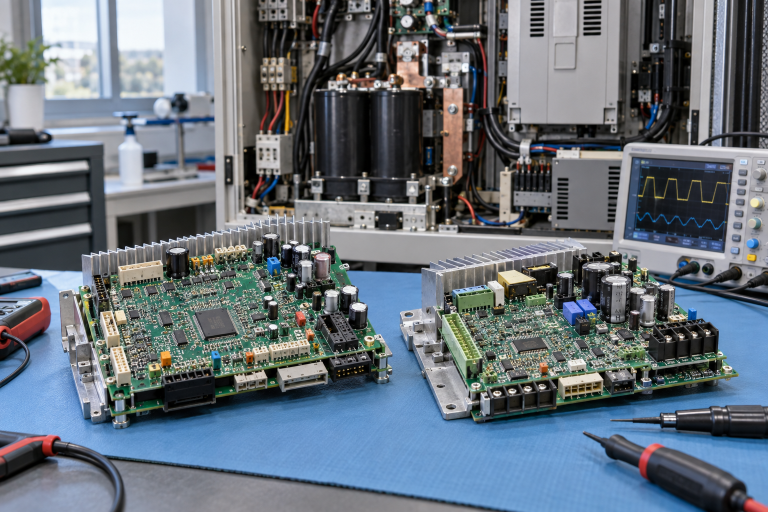
Image: AI-generated editorial illustration, not an exact product photograph or installation reference.
© 2026 DriveKNMS. All rights reserved. Official Website: https://driveknms.com Inquiry: sale@driveknms.com | WhatsApp/Tel: +86 18359293191