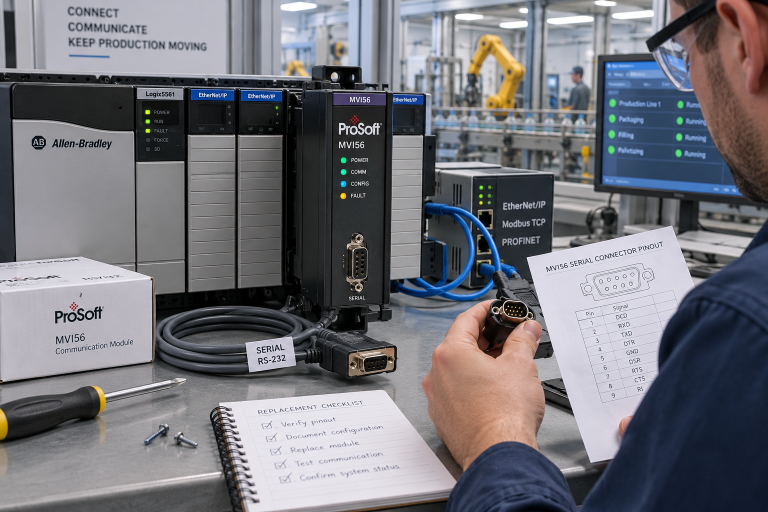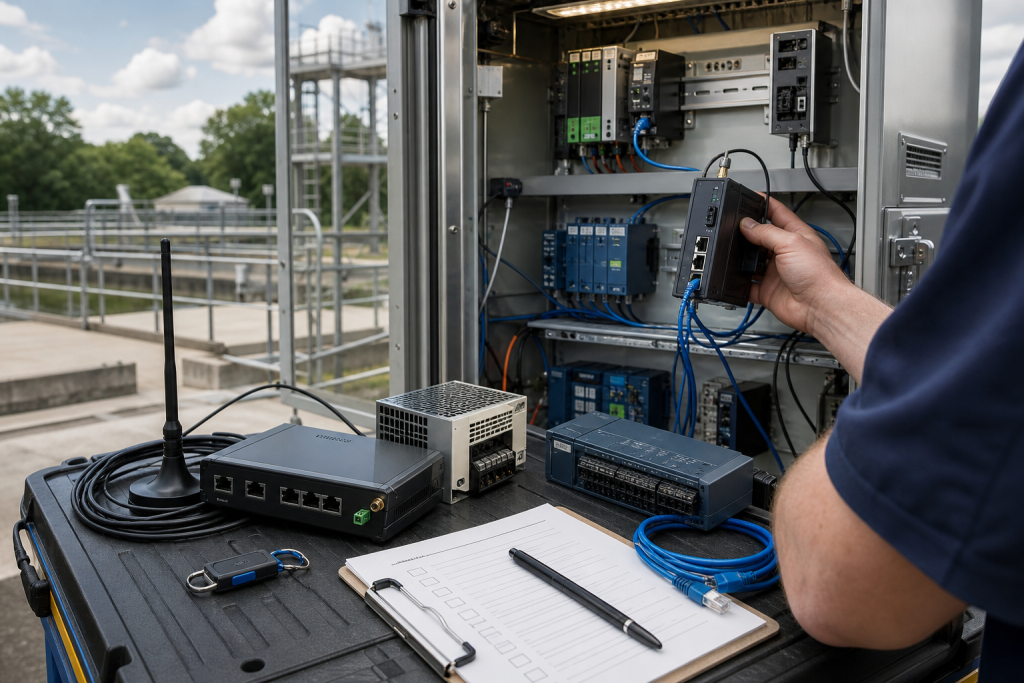
Remote telemetry failures are often treated as communication problems until a water station, tank farm, pump house, pipeline valve site, or substation disappears from the control room. At that point the question becomes practical: does the maintenance team have the gateway, modem, antenna, power supply, cables, and configuration evidence needed to restore visibility?
DriveKNMS readers know that a remote site can keep running while the control room is blind. That does not make the failure harmless. Missing trends, late alarms, and unknown equipment state can turn a small communication issue into a reliability and safety concern.
Map the remote visibility chain
List every device between the field signal and the monitoring screen: RTU, I/O, gateway, modem or router, antenna, power supply, surge protection, switch, VPN or APN owner, and SCADA tag path. The spare plan should cover the chain, not only the gateway box.
Keep this under monitoring systems records because the value is restored operator visibility. Hardware, backup, communication, and acceptance checks have to be planned together.
For isolated sites, photograph the cabinet, DIN rail layout, power input, antenna connection, serial/Ethernet ports, SIM or modem details if safe, and spare power accessories.
Gateway replacement needs configuration ownership
A gateway can be physically correct and still useless without the correct address, serial settings, VPN profile, APN, routing rule, or protocol map. Procurement does not need secrets, but it does need to know whether configuration backup exists and who owns restore.
Use safe status labels such as backup current, backup missing, modem owner known, antenna unknown, power supply spare ready, or commissioning support required.
When sourcing through the request a quote channel, send safe photos, port details, accessory needs, condition requirement, destination, and deadline.
Acceptance should prove visibility, not just power
After replacement, prove live data, alarm path, timestamp accuracy, remote command rules if used, and operator display. A powered gateway that does not restore trusted visibility is not recovered.
If the site is hard to access, stage cables, antenna adapters, power accessories, and a printed test checklist before dispatch. Field time is expensive when the missing item is a small connector.
Update the record after the callout. The next remote-site failure should start with evidence rather than a search through old emails.
Procurement discipline that keeps the spare usable
A useful RFQ separates immediate replacement, planned shelf stock, repair exchange, test-bench hardware, and possible substitute. Those are not the same buying need. Immediate replacement needs dispatch certainty and accessory completeness. Planned stock can allow more time for condition comparison. Test hardware can be useful without being production-approved. A possible substitute needs engineering review before it is compared with an exact match.
Ask for actual photos, visible labels, port views, accessory scope, condition language, warranty terms, and realistic shipment timing. Compare device-only quotes against field-ready kits carefully. A low price becomes expensive when a missing connector, terminal plug, cable, memory card, power supply, mounting part, or configuration owner forces a second shipment during the maintenance window.
Receiving inspection should mirror the RFQ. Confirm model, revision, ports, power input, accessory count, packaging, visible condition, and included documents before the item enters stores. If firmware, software, backup, or approval status is unknown, mark it unknown. Clear uncertainty is safer than quiet confidence that surprises the next technician.
Risk ranking keeps the spare plan realistic. Not every component deserves the same shelf depth, but every critical component deserves a documented decision. Rank by downtime consequence, lead time, substitute confidence, backup complexity, accessory risk, local skill, and whether the plant can continue running while a replacement is sourced. This turns spare planning from opinion into a maintenance action that procurement can support.
Review the highest-risk records before each planned shutdown. Confirm the spare is still on the shelf, the accessory kit is still complete, the photos still match the installed equipment, and the named technical owner is still available. Quiet drift in stores is common; catching it before a work window is cheaper than discovering it during a night callout.
Make the record reusable
After the order, save the original RFQ photos, supplier photos, final quote, received-item photos, and engineering comments together. That file becomes the next buyer’s starting point. It also helps maintenance when the same platform appears in a later outage, shutdown, modernization review, or support discussion.
Use simple status labels: exact match, possible substitute, repair option, test bench only, rejected, or engineering review required. A conditional spare should not sit on the shelf pretending to be an exact replacement. Stores staff and night-shift technicians need the same clarity as the engineer who approved the quote.
Attach a decision owner to every uncertain item. The owner does not need to solve the whole lifecycle problem immediately, but someone should be named for compatibility review, backup validation, substitute approval, or receiving inspection. Anonymous uncertainty is what turns a normal spare request into an emergency meeting.
If the item is not ready for production use, say so directly on the record. Clear limits prevent a conditional spare from being pulled as if it were already approved.
FAQ
What belongs in a remote telemetry spare kit?
Gateway or modem, power supply, antenna or adapter, serial/Ethernet cables, surge protection notes, backup status, and acceptance checklist.
Can a different router or modem be used?
Only if communication settings, carrier path, protocol support, ports, power, mounting, and commissioning owner are confirmed.
What should be tested after replacement?
Test live data, alarms, timestamps, communication stability, and any approved remote-control function.
What should I send DriveKNMS?
Send safe cabinet photos, gateway labels, port views, power details, antenna/cable needs, backup status, site urgency, and destination.
Send DriveKNMS your remote telemetry spare gaps and safe cabinet photos. We can help structure the recovery kit around visibility, not just hardware.
© 2026 DriveKNMS. All rights reserved. Official Website: https://driveknms.com Inquiry: sale@driveknms.com | WhatsApp/Tel: +86 18359293191